How does this Healthy Grocery List PDF work?
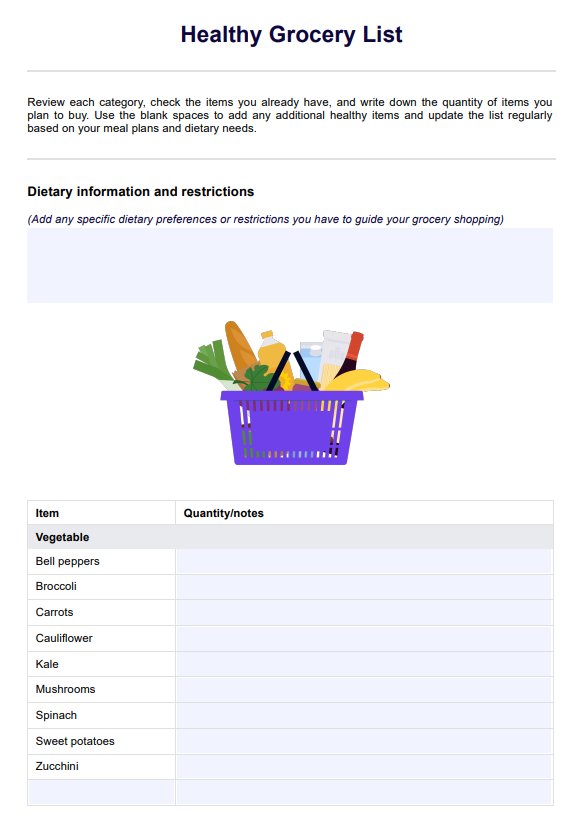
When it comes to supporting clients with a healthy diet, making grocery shopping simpler and more intentional is key. This Healthy Grocery List template helps them build a list full of nutritious foods and make informed, consistent choices at the store or when shopping online. Here's how to use it:
Step 1: Download the template
Click "Download" to get the PDF copy of the worksheet on this page, or click "Use template" to edit it within the Carepatron platform before printing or sending it to clients. You can also get the grocery list example for reference.
Step 2: Review and customize the categories
Go through each section with your client: vegetables, fruits, whole grains, protein, dairy/alternatives, snacks, and pantry staples. The list usually contains nutritious foods like sweet potatoes, brown rice, soy milk, whole wheat bread, chicken breast, frozen fruits, frozen vegetables, and olive oil. There’s space to add more items, too, especially helpful for clients with specific needs or preferences like low-fat milk or gluten-free grains.
Step 3: Add quantities and extras based on meals
Next, help your client think ahead about what they plan to cook. This makes it easier to fill in the “Quantity” column for each item. Meal planning ahead of time encourages healthier eating and prevents those last-minute impulse buys. For example, if they’re making nutritious meals with fresh fruits, whole grains, and lean proteins like chicken breast, they’ll know exactly what and how much to buy.
Step 4: Shop with the list and check food labels
When your client heads to the store, the list becomes their healthy eating guide. Encourage them to stick to it, read food labels (especially for canned foods or packaged items like apple cider vinegar), and make smart swaps when needed. Remind them it’s okay to be flexible as long as they’re choosing whole, minimally processed items that support their healthy diet.