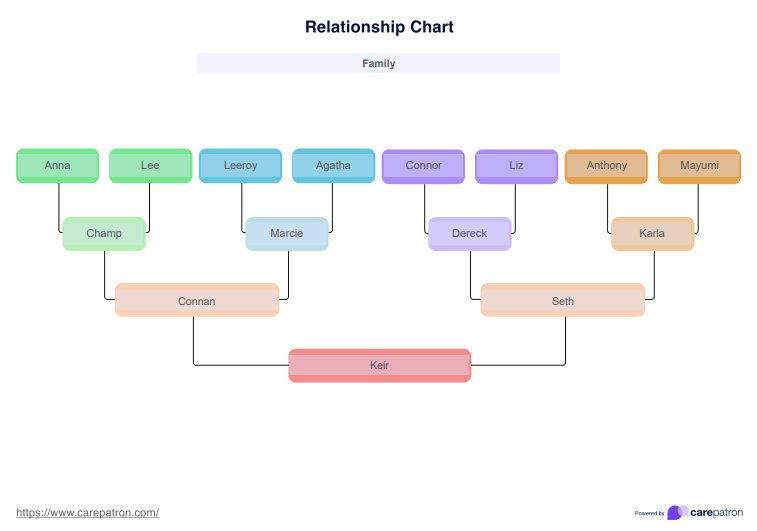
How to use the Relationship Chart Template?
When using a Printable Relationship Chart Template, the main steps involved include:
Step 1: Download the template
You can access the Relationship Chart template by clicking "Use a template. " This will allow you to edit the resource via the Carepatron app. To download a PDF copy, choose "Download."
Step 2: Gathering information
You can then provide a copy of this template to patients or clients. They can start by gathering relevant information for the family relationship chart through brainstorming, curating DNA matches, reviewing documents, or conducting interviews with relatives or friends. Related templates, such as a cousin chart or relationship chart maker, may also be helpful to further develop genealogy research.
Step 3: Define relationships
Together with clients or patients, analyze the relationships between family members based on how many generations they plan to include in the relationship chart. Identify whether they are one-to-one, one-to-many, or many-to-many. Include connections such as those between same-generation relatives, like first cousins, or distant relatives, like a second cousin, third cousins, or great-great-grandparents. Use descriptive labels like "is a," "is part of," or "influences" to clarify each connection and define the family structure, such as shared ancestry from a common ancestor. Also, define each member's characteristics, roles, or functions to ensure clarity.
Step 4: Create a visual representation
Once all information is gathered, place it into the Relationship Chart Template. For members, use shapes or symbols, connect them with labeled lines or arrows, and enhance clarity with colors and styles for better organization.
Step 5: Review and refine
Review the family relationship chart for accuracy, completeness, and clarity. Correct any errors to ensure an accurate representation of connections. Assess its effectiveness and make adjustments as needed. Share for feedback and refine based on input.