How does it work?
Step One. Access and Download the Template
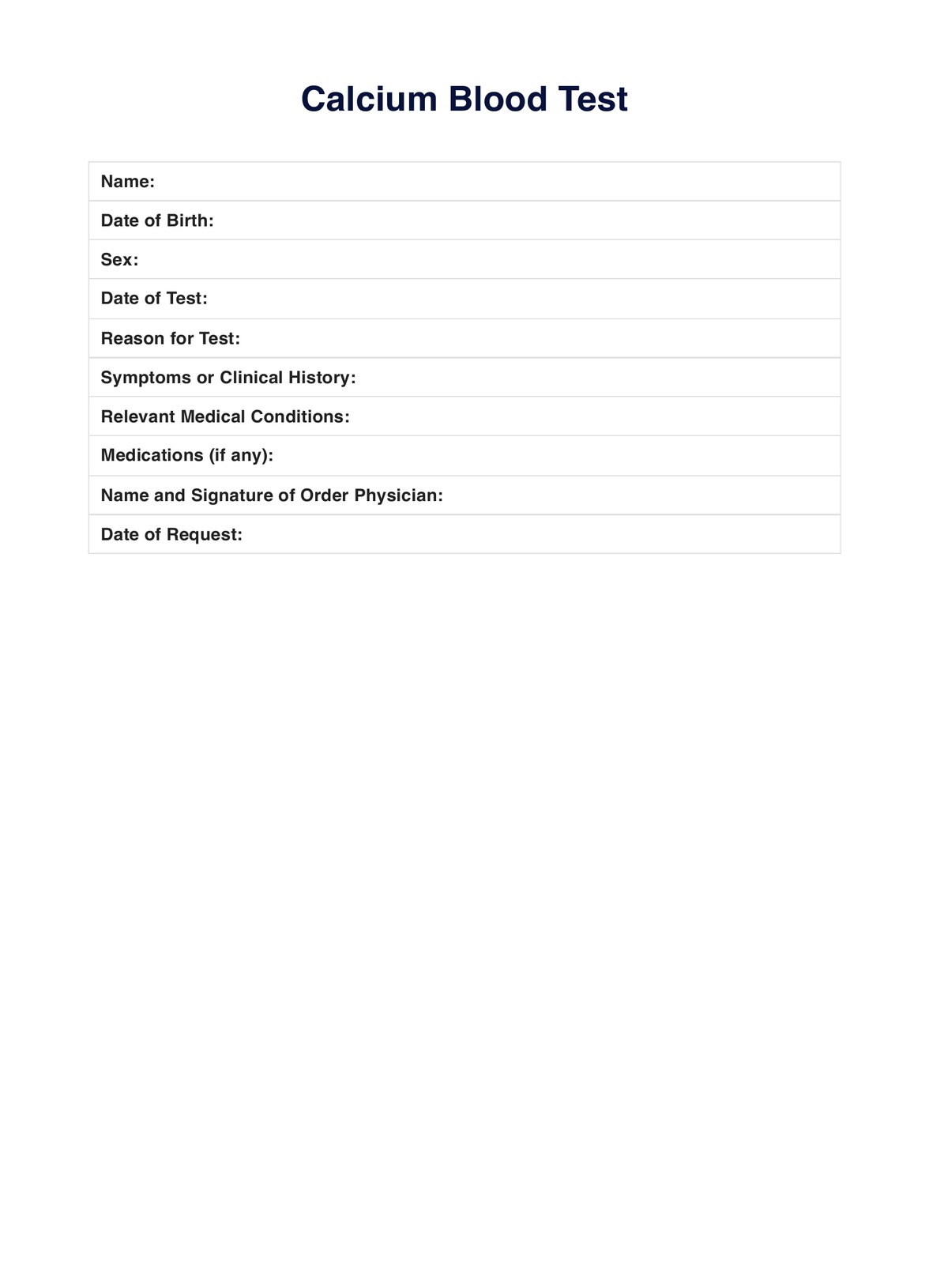
Ensure you have a digital and printable copy of the calcium blood test template when needed. Obtain a copy by doing either of the following:
- Clicking the Download Template or Use Template button
- Searcing Calcium Blood Test on Carepatron's template library search bar on the app or the website
Step Two. Interview, Assess, or Examine the Patient
Before requesting a calcium blood test, it's best that you interview, assess, or physically examine the patient for any symptoms or signs of having too much or too little calcium. Only then do you request a test using the template and write your observations or findings on the form.
However, should they not exhibit any, you may write routine bloodwork or checkup on the form since a calcium blood test is commonly included in a CMP or BMP.
Step Three. Collect the Sample
Since our calcium blood test template can be used as a request form, patients can bring it to the laboratory as proof of the requested test.
Step Four. Analyze and Interpret
Once the results come back, you may use the calcium blood test template to write down your patient's results and the corresponding interpretation.
Step Five. Securely Store the Template
Don't forget to securely store the template after you've made the most out of it. You may store it at a secure physical location. Alternatively, you can store digital copies of the completed calcium blood test template on Carepatron, a HIPAA-compliant EHR, where only relevant parties can access the information.