How to use our Psychiatry Intake Form
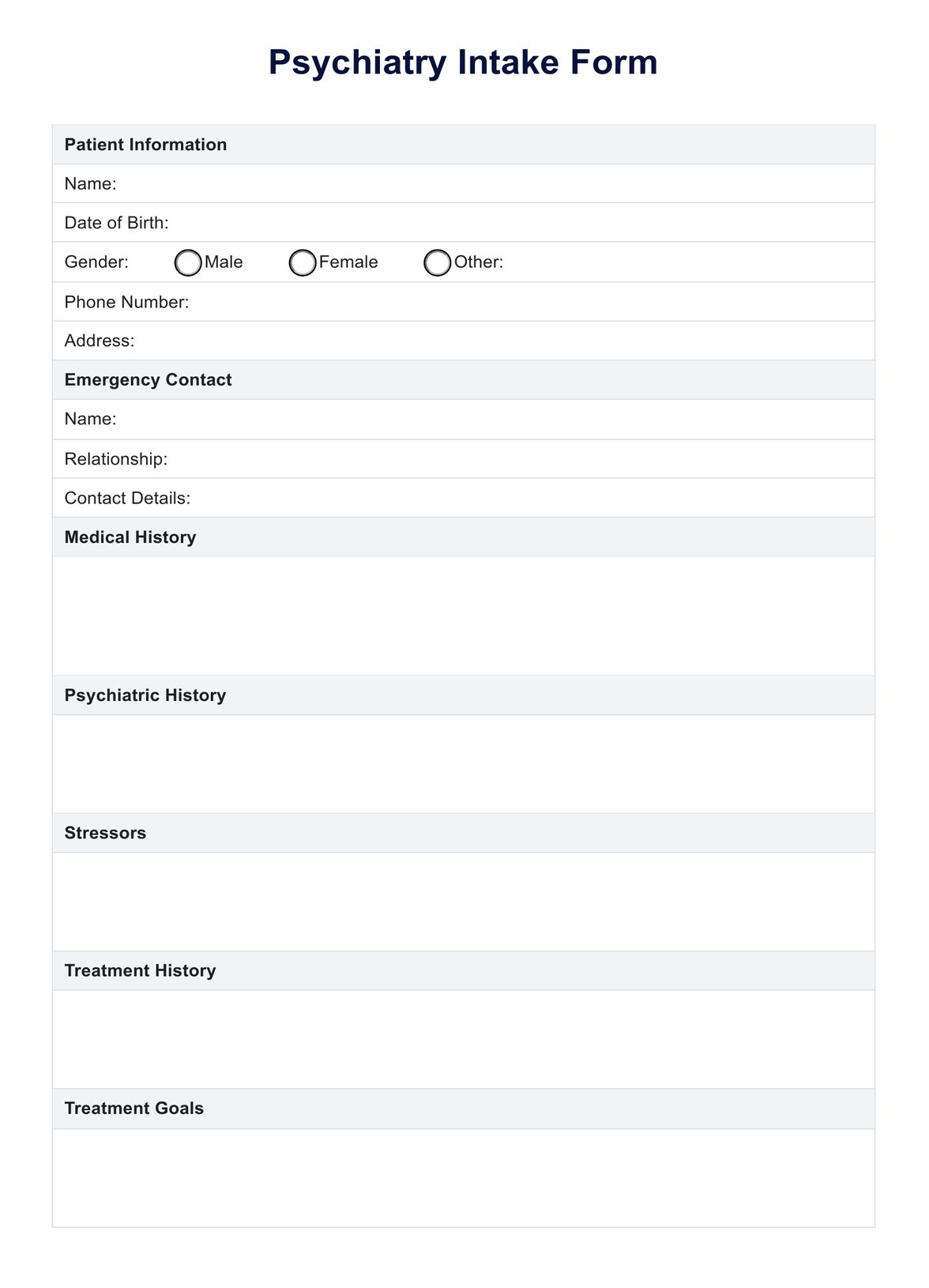
Carepatron has created a free and customizable Psychiatry Intake Form that you can use in your practice. Follow these steps to get started:
Step 1: Download the template
Get a copy of our free form using this page's link or the Carepatron app. You can also access it from our resources library.
Step 2: Print our use the digital format
Choose the best option for your practice. You can either print out the form and have your patients fill it out by hand or use our digital format to collect information electronically.
Step 3: Customize as needed
Our template is fully customizable, so feel free to add or remove sections that are not relevant to your practice. You can also brand it with your logo and practice information for a professional touch.
Step 4: Use during intake appointments
Hand out the intake form to patients during their first appointment or have them complete it before the session. Make sure to leave enough time for them to fill it out thoroughly and ask any questions.
Step 5: Review and discuss with patient
Review the form once the patient has completed it with them during their appointment. Use the information provided to guide your discussions and gain a better understanding of the patient's mental health concerns.
Step 6: Save and store for future reference
Make sure to save a copy of the completed form in the patient's medical record for future reference. This can also serve as a baseline for tracking progress over time.
You can also use the Intake Form template to gather comprehensive information from new clients at the start of their treatment. Alongside the Medical Record template, these tools help ensure accurate and organized documentation of each client's medical history and ongoing care. Utilizing both templates can streamline your intake process and support more effective management of client information.