How does our DMV Medical Evaluation Form template work?
Follow these five simple steps to use our template for your DMV medical evaluation effectively needs:
Step 1: Access the template
The first step is to click the "Use template" button on this page for an editable version. This button opens the template in the app's template editor, which allows for customization to address specific needs efficiently. Click "Download" for a PDF format.
Step 2: Fill out driver information
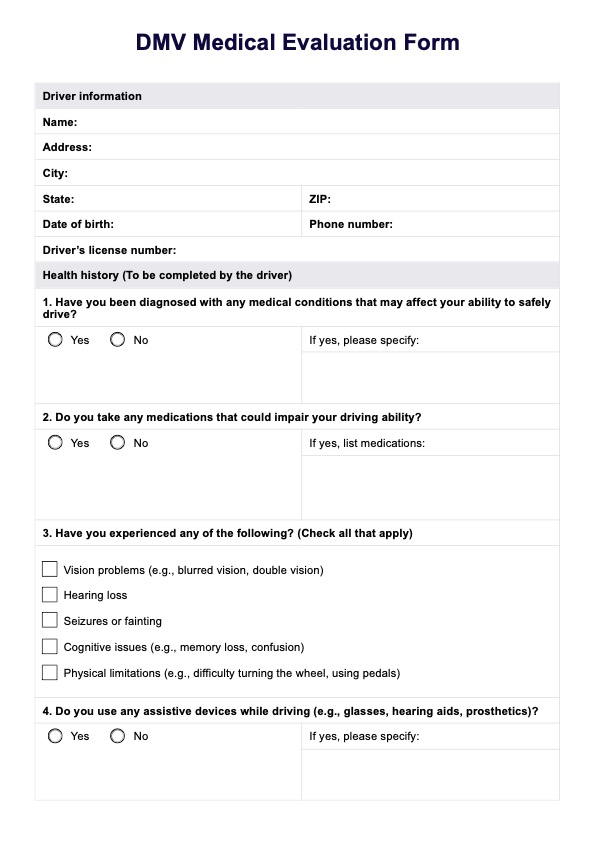
Begin by accurately entering the driver’s personal details, including their full name, address, contact information, and license number. Double-check the accuracy of all submitted information to avoid processing delays.
Step 3: Complete the health history section
Provide a comprehensive health history for the driver, including details of any chronic conditions, past illnesses, or ongoing treatments. This section is vital for evaluating the driver's ability to safely operate a motor vehicle. Clear and thorough documentation ensures the DMV receives a complete picture of the driver’s medical background.
Step 4: Conduct and record the medical examination
As the healthcare provider, complete the medical examination section of the form. Record vital signs, relevant test results, and any observations about the driver’s physical and mental health. Ensure all fields are filled out legibly and accurately, as incomplete or unclear entries could lead to further inquiries from the DMV.
Step 5: Submit the completed form
Once the form is finalized, submit it to the designated DMV department following their specific instructions. Retain a copy for your records and advise the driver to follow up if confirmation of receipt is required. Timely submission is crucial for maintaining the flow of the evaluation process and addressing any concerns promptly.