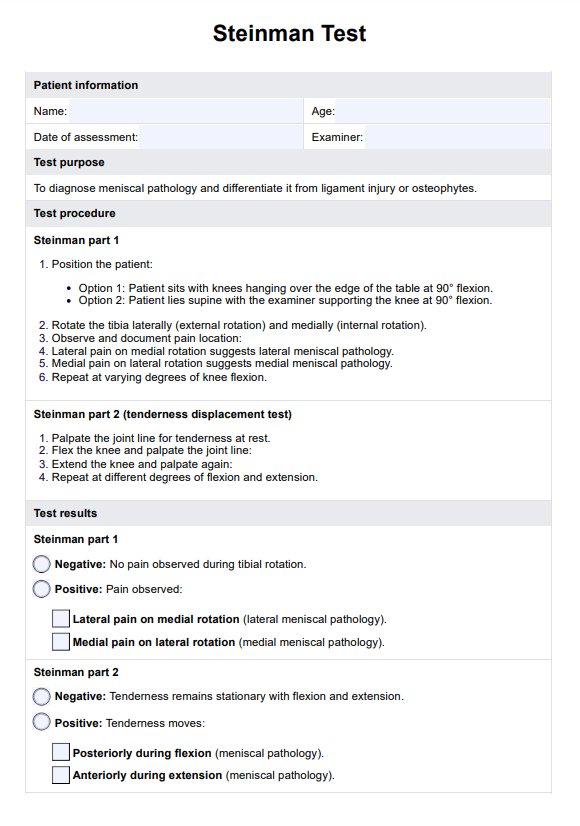
How to use our Steinman Test template
Carepatron's Steinman Test template simplifies diagnosing meniscal pathology by providing a structured format for assessment. Medical professionals can efficiently evaluate the knee joint, document findings, and guide treatment plans. Follow these steps to maximize the template's utility and improve patient care.
Step 1: Access the template
Open the Steinman Test template by clicking "Use template," which opens it in the Carepatron app’s template editor. From there, you can edit the template or add or delete items and fields as necessary. After that, you can fill it out digitally or print it. You can also save a non-customizable but fillable and printable PDF by clicking "Download."
Step 2: Use the template for patient assessment
Utilize the template's listed steps to administer the Steinman Test. It outlines proper positioning, internal and external rotations, and documentation of pain locations to identify potential meniscus injuries effectively.
Step 3: Gather and interpret results
Record the findings using the template's fields. Determine if the results indicate meniscal pathology, such as medial or lateral meniscus tears, and correlate them with the patient’s symptoms for accurate diagnosis.
Step 4: Provide patient education and next steps
Share the results with the patient using the template’s summary section. Offer education on the condition, discuss treatment options like physical therapy, and outline next steps to promote recovery and improve knee function.