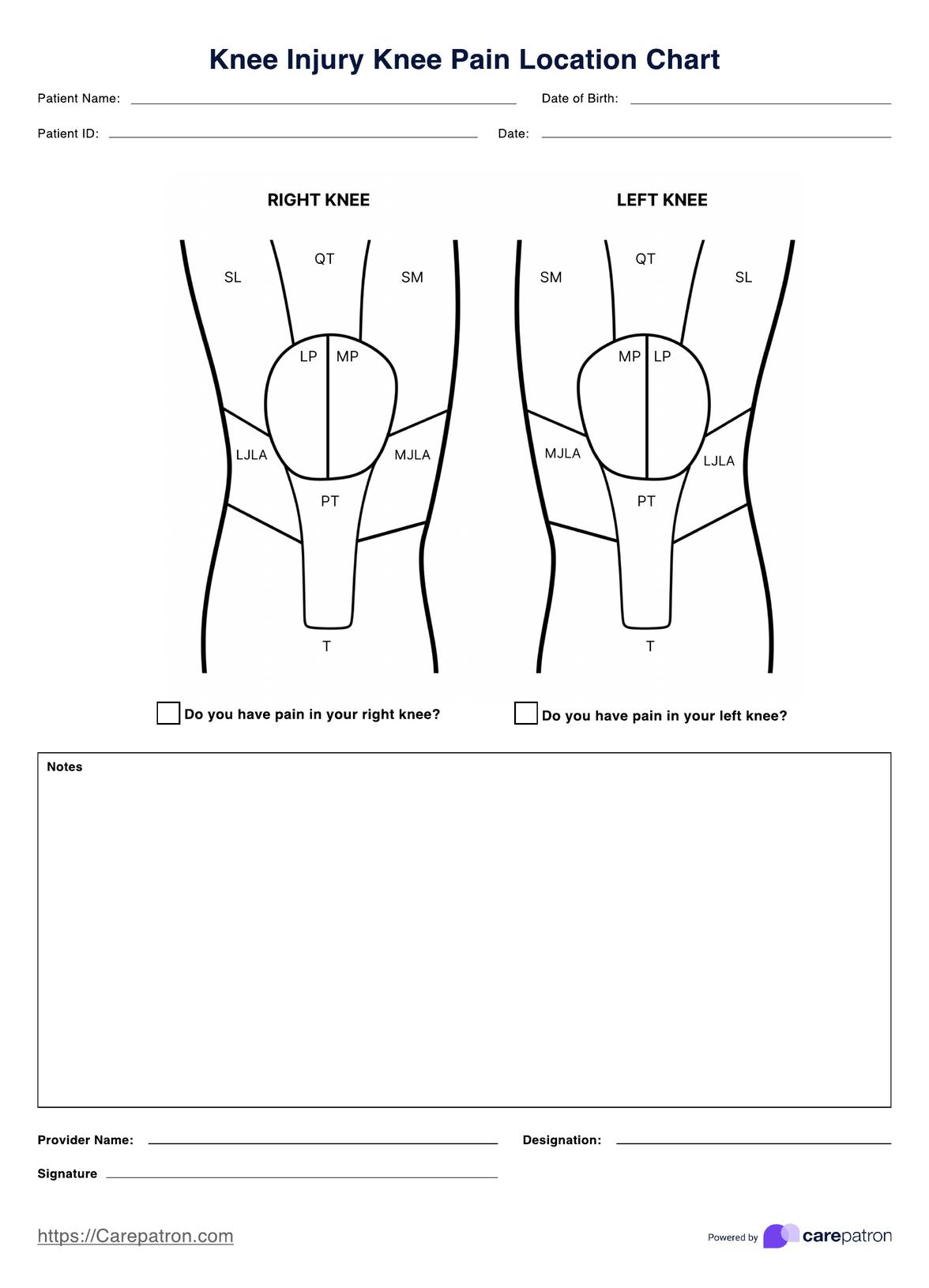
How to use the Knee Injury Knee Pain Location Chart:
Step One. Access and Download the Template
Access and download a digital and printable copy of the Knee Injury Knee Pain Location Chart by clicking the “Use Template” or “Download Template” butto, or “Knee Injury Knee Pain Location Chart” in Carepatron’s template library’s search bar on the app and website.
Step Two. Examine the Patient
During a physical exam, you can bring out a copy and keep it close to write down your patient's concerns and observations.
Step Three. Fill Out the Template
In connection with the second step, during or after the examination, you may annotate the diagram with possible pathologies upon examination. To help you out, we’ve listed down the regions below:
- SL = Superior Lateral and Superior Medial
- QT = Quadriceps Tendon
- LP = Lateral Patella
- MP = Medial Patella
- LJLA = Lateral Joint Line Area
- MJLA = Medial Joint Line Area
- PT = Patella Tendon
- T = Tibia
You may also write additional notes, such as referral plans, next steps, or other relevant information, at the bottom.
Step Four. Securely Store the Template
Don’t forget to store the filled-out copy in a patient’s folder or upload it alongside other relevant documents in the patient’s profile on Carepatron’s electronic health records software.