How to use our template
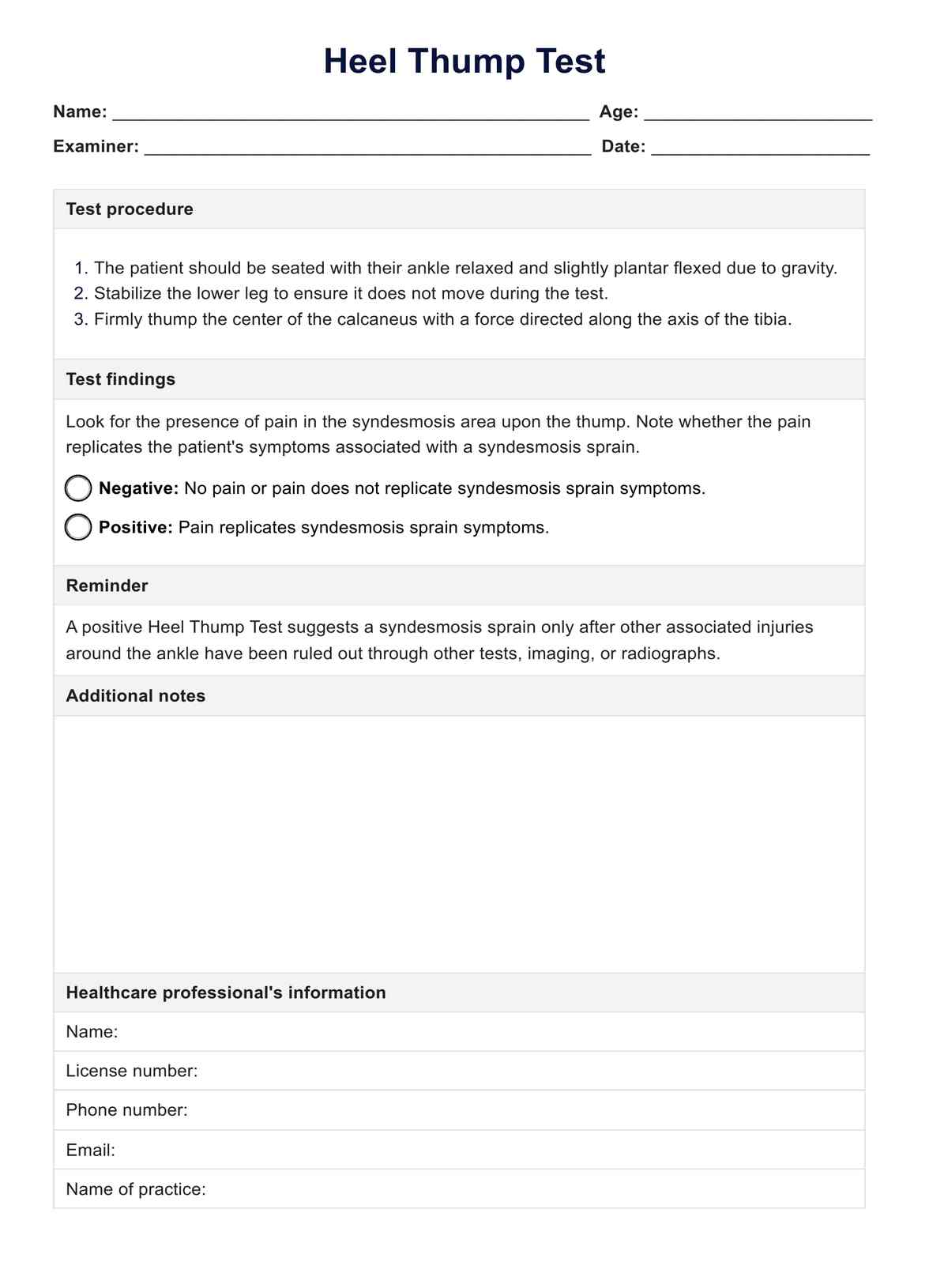
Our Heel Thump Test template is designed to streamline the process of diagnosing syndesmotic ankle sprains, ensuring that healthcare professionals can efficiently document and interpret the test results. Here’s a detailed guide on how to use this template effectively in clinical settings:
Step 1: Access this template
To begin, download or access the Heel Thump Test template from our website or via the Carepatron app. This template is available in digital format, making it easy to fill out on any device or print for manual completion. Ensure you have the template ready before you meet with the patient to conduct the test.
Step 2: Explain the template
Before performing the test, it is essential to explain the procedure to the patient. Use the template as a guide to discuss what the test involves and what each section is for. Inform the patient about what you will be recording in the template, such as their personal information, the test findings, and any additional notes that may help in their diagnosis and treatment plan.
Step 3: Perform the test
Follow the template to stabilize the patient’s distal leg and apply the thump to the heel. Observe the patient's reaction for signs of pain or discomfort.
Step 4: Document the results
After performing the test, immediately document the results in the template. Check the appropriate box to indicate whether the test was positive or negative based on the patient’s reaction. Use the additional notes section to detail any observations that might assist in further diagnostic procedures or in developing a treatment plan.
Step 5: Review and follow up
Review the completed template to ensure all information is accurately recorded. Discuss the findings with the patient, and plan any necessary follow-up tests or treatments. Store the document securely, maintaining patient confidentiality and compliance with healthcare regulations.